
File Types

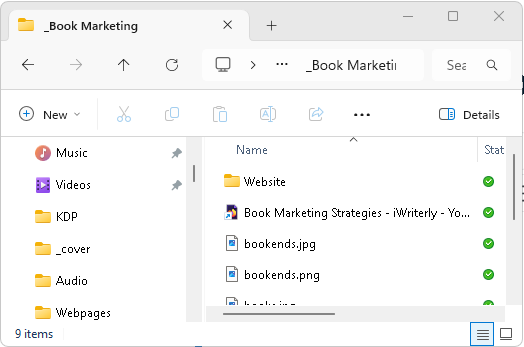
Table of Contents
I have been going through a few things recently and it struck me that I take for granted all sorts of file types. They are file types that I have used for the last forty-odd years and I often forget that some people don't have the same level of awareness. I mostly use the Windows operating system so some of the Linux or Mac filetypes won't get a mention here. I have to admit, up front, that this is not an exhaustive list but I will try to cover the ones that I commonly come into contact with.
Filenames in Windows (and most operating systems) are in the format:
filename.extension
The file extension, that's the bit after the dot, indicates the type of file it is. Windows defaults to hiding the extension part in the file explorer.
Text Documents
.txt Plain text files, the only formatting in them is line endings and tabs. Programs like notepad and notepad++ can create and edit text files.
.rtf Rich Text Format. These are text files that offer basic formatting like fonts, different text sizes. Most word processors support the rich text format.
.doc / .docx Microsoft Word documents are advanced text files that offer extensive formatting.
.md / .mkd Markdown files are text files arranged that are simply coded. viewers of markdown files convert the output to html and then display the html web format.
.pdf Portable Document Format (read-only, widely used) These files are often used to submit text documents that are not intended to be edited. PDF files can be set up to control access to the content, for example to prevent printing. PDF files can have fonts embedded in them which means they don't have to rely on approximations where the font is not supported by the system you are on.
Image Documents
.jpg / .jpeg Image format originally proposed by the Joint Photographic Experts Group. This graphics format often results in smaller image files. The format supports 24bits of colour information per pixel. The compression algorithm is a lossy compression which means that when reconstructing the original image will lose some of the original detail, although it is possible to set the level of compression to zero in some graphics programs.
.png portable network graphics. This produces images that support 24bits of colour per pixel. The image files are generally larger than the equivalent jpg file because it employs a lossless image. The images also support transparency.
.gif Image format that supports 8bit colour per pixel and transparency. It supports animated or simple graphics with limited colour palette.
.bmp Bitmap images (older, large file sizes) mostly found in Windows computers.
.svg → Scalable vector graphics (used in design) Vector graphics can be resized without loss and also generally produce smaller files.
Audio File Types
.mp3 Compressed audio. This is a widely supported audio filetype, the quality varies depending on the settings during production.
.wav → Uncompressed audio that is higher quality than mp3 because nothing is lost in the encoding process.
.wma → Windows Media Audio (Microsoft format). This format is compressed using a lossless compression algorithm.
.aac → Advanced Audio Coding (used in streaming) it uses a lossy encoding system to change the size of the output files. Smaller files allows the use of less bandwidth when streaming.
Video File Types
.mp4 Most common video format, it is widely supported and the lossy encoding means that the output quality varies.
.avi Older video format, it tends to produce large files. It can be lossy or lossless.
.wmv Windows Media Video (Microsoft format) This video format is compressed using a lossy algorithm, but the output files tend to be a reasonable quality.
.mkv Flexible container format for video/audio/subtitles. The flexibility allows choice in the quality of video and audio/
System & Executable File Types
.exe Executable programs
.msi Windows installer packages
.dll Dynamic Link Library. These are program files that can be loaded in by exe files at runtime.
.sys System files (drivers, OS components)
.bat / .cmd Batch scripts for command execution. These are text files that contain commands, they essentially allow a user to automate sequences of commands.
Compressed & Archive File Types
These are all compressed files generated by different programs.
.zip Standard compressed archive
.rar Alternative compressed archive
.7z High-compression archive format
.cab Windows Cabinet files (system distribution) that are not normally used by users.
Web & Code File Types
.html / .htm → Web pages
.css → Stylesheets, these are used to define the styles to apply inside web pages.
.js → JavaScript code. This is a program code that is generally executed as part of a web page. It is possible to create desktop apps using npm (node package manager) and Node.js. If that doesn't mean anything to you then don't worry, it's a bit niche.
.xml / .json → Data formats used to exchange data in web based apps.
.py / .java / .c / .cpp → Programming source files for programming languages Python/Java/C/C++, but there are many more programming languages.
Conclusion
This post could have been preaching to the choir, but I hope it has some interesting facets. In particular armed with this knowledge you might understand why you would use PNG graphics files instead of JPG or PDF instead of DOC.